Got a WA lotto ticket? Let’s check it.
Turn a ticket photo into a clearer picture. Compare your numbers with published draw results in the Lottery Prize Check iPhone app.
- Free
- iOS 16.4+
- No account needed
An independent checker. Potential winnings need official verification.
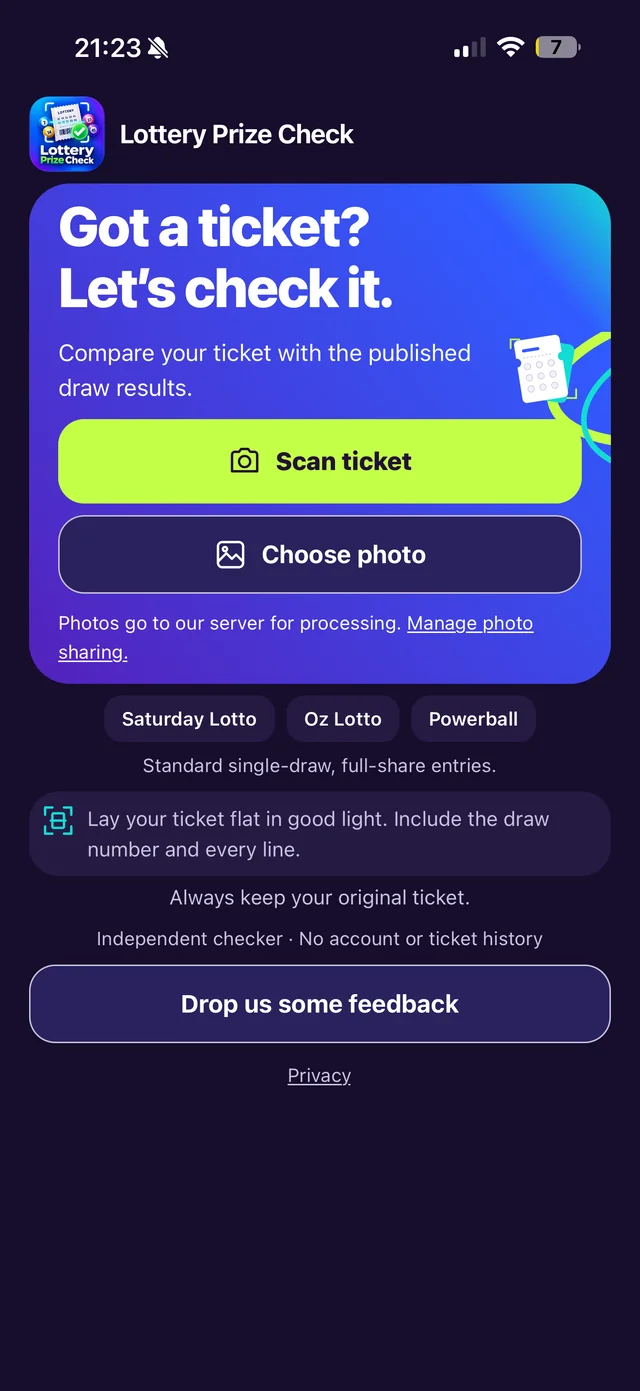
- Lay the ticket flat in good light
- Include the draw number
- Keep every entry line in frame
Supported in the public app
A check in three steps.
Your original ticket stays important. Here’s where the app fits in.
A closer look at the process- Capture
Get the whole ticket.
Take a clear photo in the app, or choose one from your photo library. Keep every entry and the draw details in view.
- Compare
See what matches.
Compare the recognised numbers with your ticket, then review the matches against published draw results.
- Verify
Make it official.
Potential prize? Keep your original ticket and take it to an authorised Lotterywest retailer for verification.
See the matches. Understand the result.
A useful first look, with the details you need to check next.
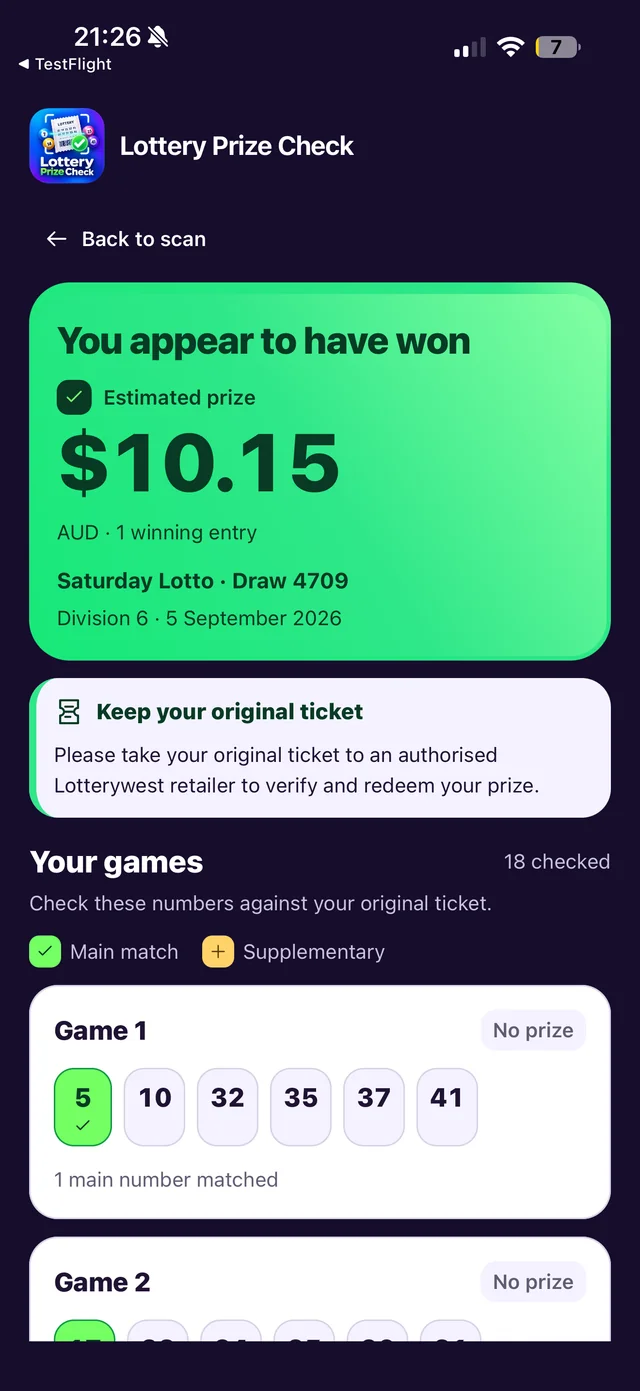
Potential prizes, with context.
See potential winning divisions. An estimated amount appears when a reliable published prize amount is available.
The next step, spelled out.
The result reminds you to keep your original ticket and take it to an authorised Lotterywest retailer to verify and redeem.
Your numbers, highlighted.
Review the numbers recognised on each entry and see which ones match the published draw.
Unclear isn’t a losing result.
Unreadable photos, future draws and unavailable results are identified separately. Retake the photo or check officially.
Clear ticket limits.
For supported physical Western Australian tickets. Standard, full-share entries only.
Checked in the app
- Standard, full-share Saturday Lotto, Oz Lotto and Powerball single-draw entries
- Set for Life ranges of 1–10 consecutive weeks
- Physical tickets photographed whole, with draw details and every entry line
Check another way
- Systems, syndicates, PowerHit and add-ons
- Multi-draw Saturday Lotto, Oz Lotto and Powerball tickets
- Mixed-game tickets, such as Saturday Lotto with Super66
Independent by design. Lotterywest’s official validation of your original ticket is authoritative. Read the disclaimer.
Ready to take a look?
Scan a supported WA ticket in the app, review what it found, then verify anything promising with Lotterywest.

iOS 16.4 or later · Free · 18+ · Contains ads